
Coaching Rooms
Run practice from one screen.
Open a room. Your athletes join in seconds with a code or a QR on your screen. Describe the session in plain words and AI builds it — reps, pace groups, per-group targets for your roster. You stay in charge: edit anything before you send it.
 Scan to get Velocity on your iPhone
Bring it to practice tomorrow.
Free in v1 — your whole roster can join at no cost.
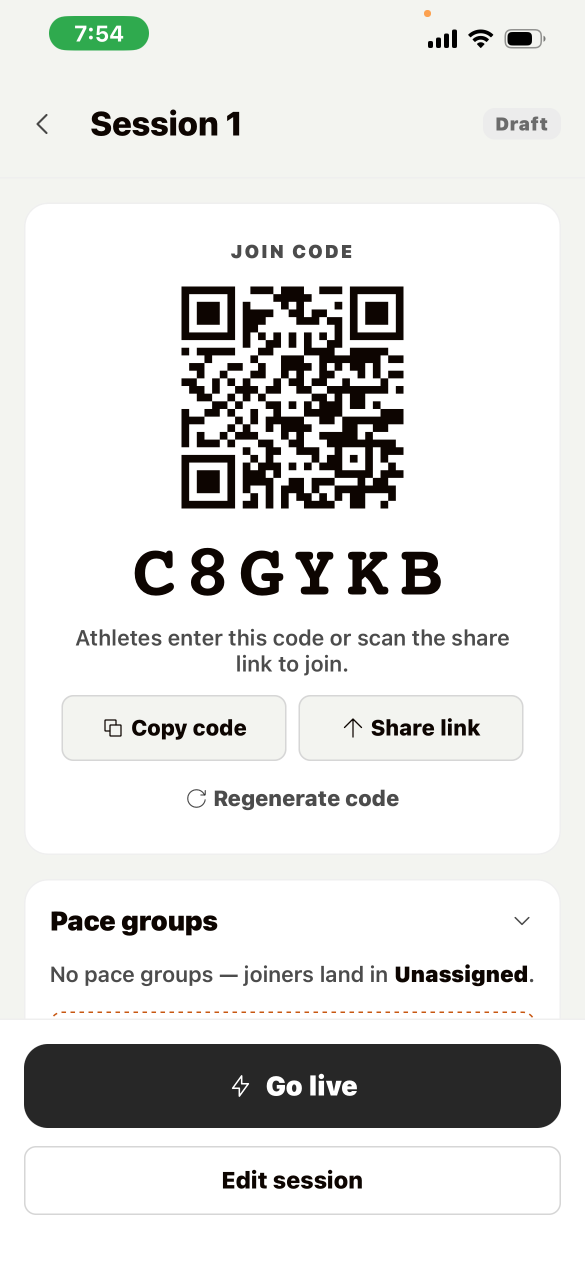
The coach lobby — code on your screen, roster fills itself.
Step 1 — the roster
Joining takes seconds, not a signup drive.
Athletes enter a 6-character code or scan the QR off your screen. As they land in the lobby, your roster builds itself — no spreadsheets, no group-chat link hunting.
One code per session. Regenerate it any time.
Step 2 — the workout
Plain words in. Full session out.
Type the workout the way you'd say it on the track. AI builds the structured session — warm-up, main set, cool-down — with pace groups and per-group pace targets, so the front pack and the second pack each get real numbers.
You type
"6×800 at threshold, long warm-up, 90 seconds rest."
Velocity builds
Warm-up · 6 × 800m at threshold with 90s rest · cool-down — with a pace target per group on your roster.
Accept, regenerate, or discard — and every rep stays editable. You stay the coach.
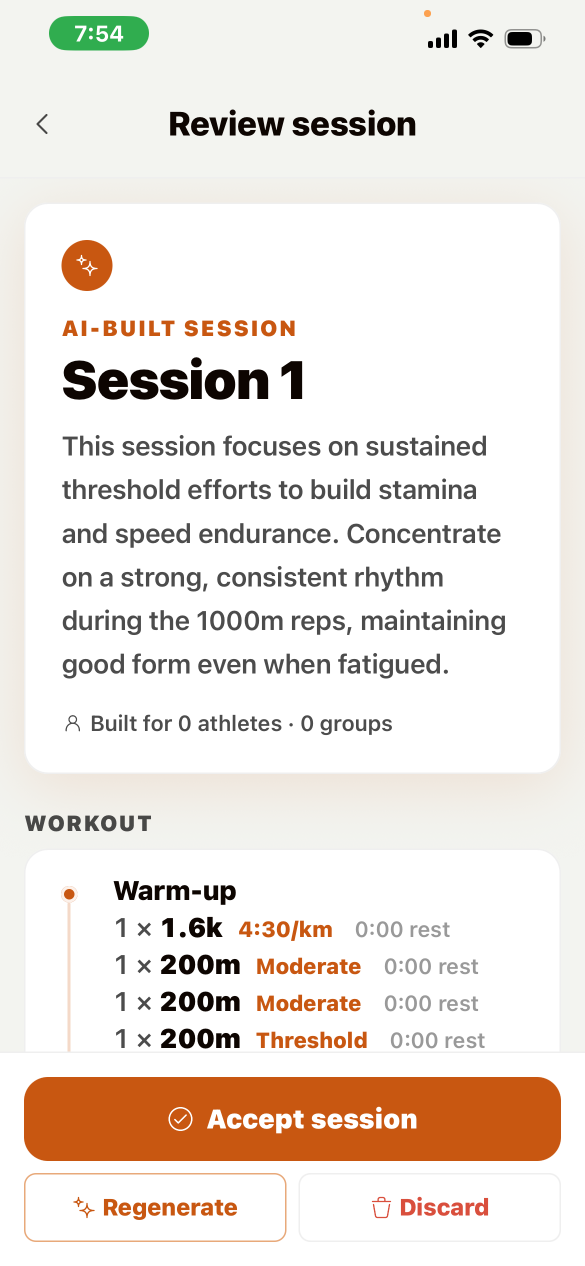
Review the generated session before anything reaches the roster.
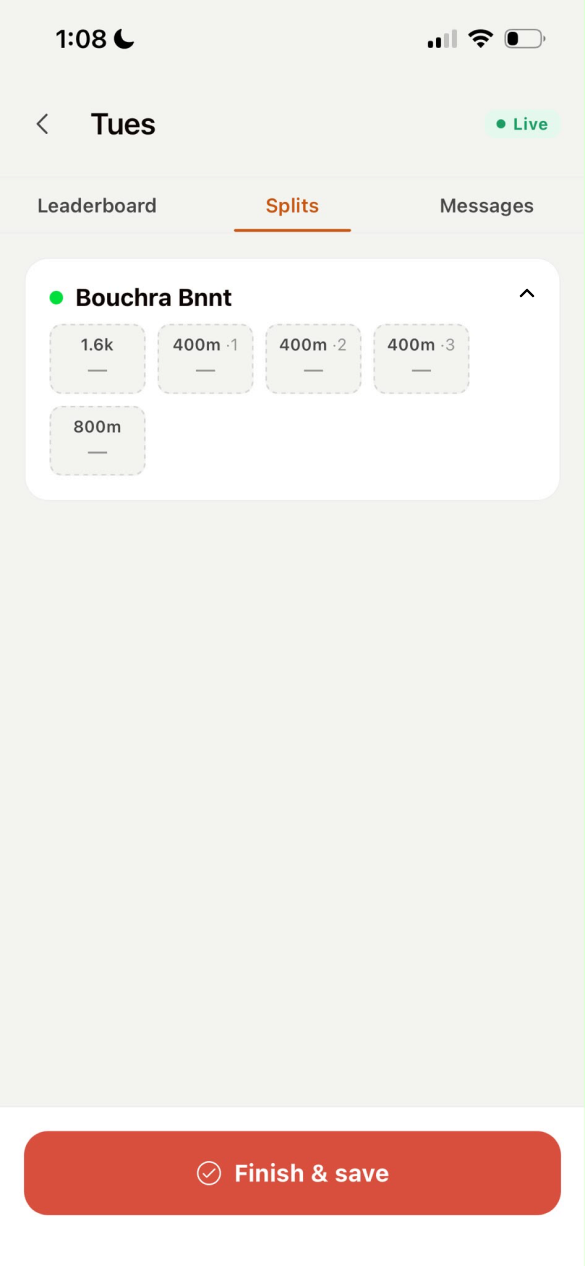
The live dashboard — every athlete, every rep, as it happens.
Step 3 — the session
Splits appear while they're still bent over.
Live splits with heart rate, logged rep by rep.
Realtime leaderboard across the room.
Room chat and per-rep comments — feedback lands on the rep it's about.
Built for the far side of the track: dead spots queue locally and sync when signal returns.
A practice, start to finish.
Create the room
One tap. The code and QR are on your screen.
Describe the workout
Plain words. AI writes the session and the pace groups.
Athletes join
Code or QR; the roster appears in the lobby.
Coach the session
Splits log themselves. You watch the running.
Bring it to practice tomorrow.
Free in v1 — your whole roster can join at no cost.
Scan to get Velocity on your iPhone"I built Coaching Rooms after watching coaches juggle a stopwatch, a clipboard, and a group chat for one workout. It should be one room."
Moncef — founder, Velocity